MCP Server
Rampify hosts a remote MCP server that brings SEO intelligence into your AI coding tools. No packages to install, no API keys to manage. Connect via OAuth, pick your project, and start querying.
What is MCP?#
The Model Context Protocol (MCP) is an open standard that lets AI assistants connect to external tools and data sources. When you connect Rampify via MCP, your AI can check SEO status, generate meta tags, analyze search performance, all from natural language prompts in your editor. See all available tools.
Prerequisites#
- A Rampify account with at least one project
Connect#
Pick your tool below to connect Rampify in one click (Cursor, VS Code) or copy a ready-to-paste command (Claude Code, Claude Desktop). Each picks up your account's OAuth on first connect.
You'll see this same picker inside the app on every project page, where the "Then run this" prompts adapt to whatever page you're on.
↓ Try it — fully interactive, same picker as in the app.
Connect Rampify
Choose your AI tool
Then run this
The HTTP endpoint is https://www.rampify.dev/api/mcp if your tool needs it directly.
Connect via Claude UI#
If you're using Claude on the web (claude.ai) or Claude Desktop, add Rampify as a connector through the UI.
- In Claude, go to Customize → Connectors
- Click the + icon and choose Add custom connector
- Enter Rampify as the name and
https://www.rampify.dev/api/mcpas the URL
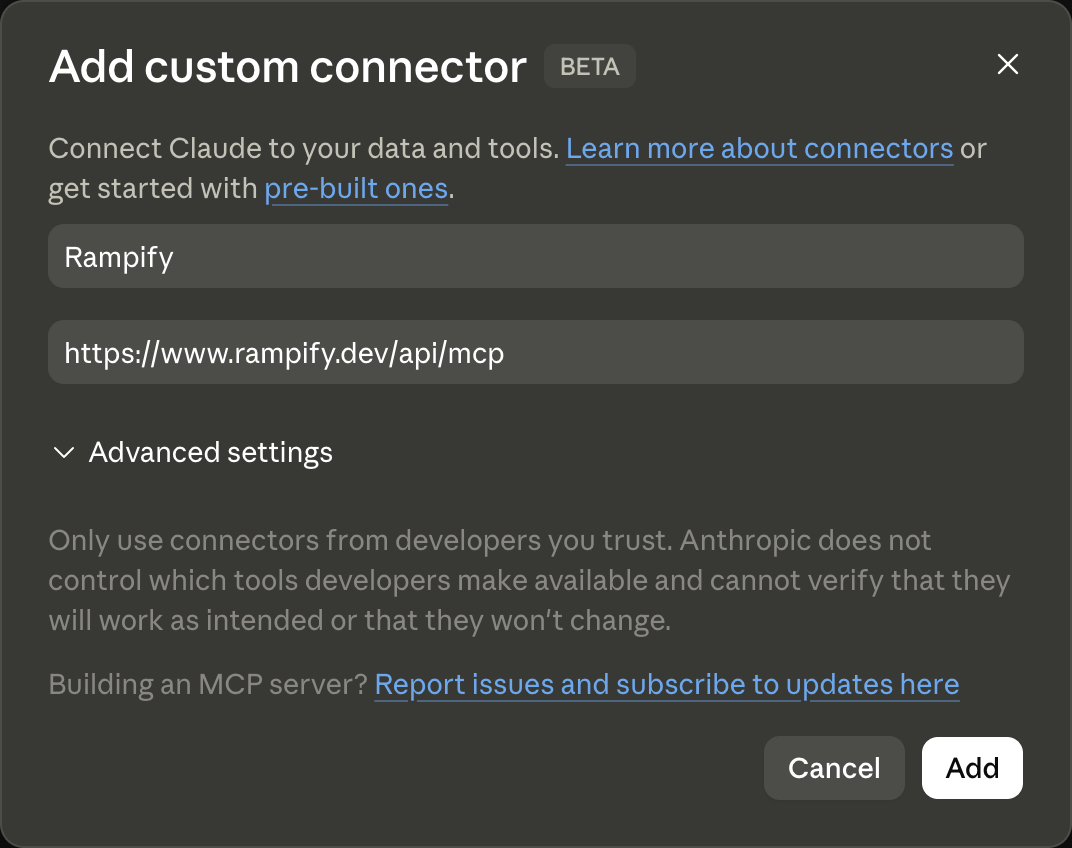
- Click Add
- Click the Connect button that appears, then sign in to Rampify when prompted
Multiple Projects#
When you connect via OAuth, you select which project to use. The connection is scoped to that project, so tools only operate on the data you chose.
To switch projects, re-authenticate your MCP connection. The project picker will appear again and you can select a different project.
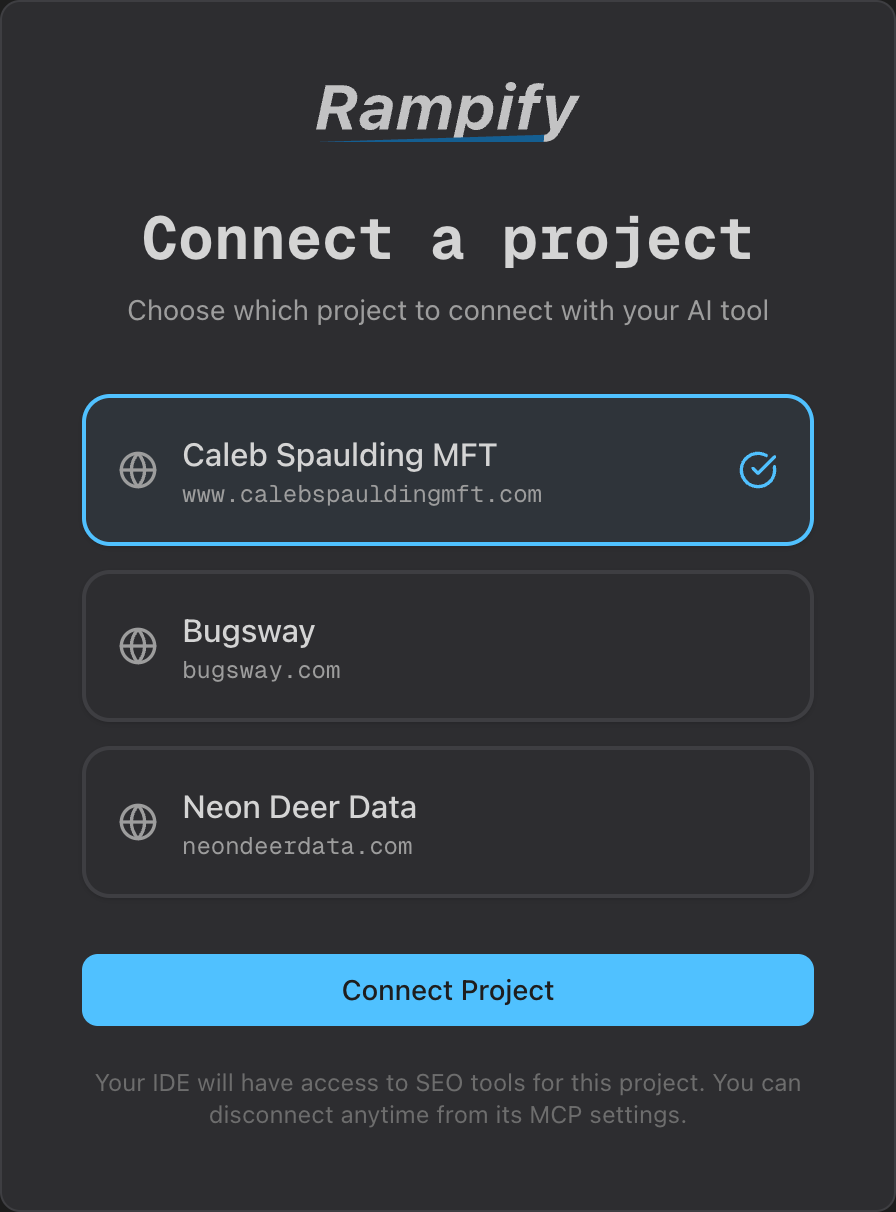
You can also use the list_projects MCP tool to see which project is currently active:
> Use the list_projects tool to show my projects
Available Tools#
Rampify provides 56 MCP tools across 9 categories. Tools are always up to date. The remote server gets new tools instantly without version updates.
Read tools have no side effects. Write tools mutate Rampify state, trigger background work, or call a paid external API.
Account1 tool
Find which projects you have access to and which one is currently active.
list_projectsreadList all projects you have access to and which is activeSite Analysis & Monitoring5 tools
Crawl your site, surface SEO findings, and pull Google Search Console performance data.
get_page_intelligencereadGet every available metric for a single page in one callget_issuesreadGet all SEO issues with health scoreget_gsc_insightsreadGoogle Search Console performance and content recommendationscrawl_sitewriteCrawl the site; records URLs with metadata, detects SEO issues, and files feature specs to resolve themscan_pagewriteAudit one page's SEO and keyword usage; runs against the live URL or content you provideContent Creation & Optimization6 tools
Generate optimized meta tags, titles, descriptions, and schema markup; produce keyword-aware optimization plans for any page.
generate_metawriteGenerate optimized meta tags for any pagegenerate_titlewriteGenerate title-tag candidates with safety verificationgenerate_descriptionwriteGenerate meta description candidates with safety verificationgenerate_schemawriteAuto-generate schema.org JSON-LD markupoptimize_contentwriteScan a page and generate keyword optimization instructionscreate_content_specwriteCreate a page-type spec linked to a keyword clusterKeyword Research & Management6 tools
Research keyword volume and competition, group keywords into clusters, and manage your tracked keyword list.
get_keyword_clustersreadRetrieve clusters with volume data and audit statuscreate_keyword_clusterwriteCreate a keyword cluster with grouped keywordslookup_keywordswriteLook up search volume, competition, and trendssuggest_keywordswriteGet related keyword suggestions for a seed keywordupdate_keywordwriteUpdate a target keyword's tier, cluster assignment, or target URLremove_keywordwriteSoft-delete a target keywordFeature Specs12 tools
Capture, edit, and track feature specifications — including tasks, criteria, and commit attribution.
get_feature_specreadFetch one spec by UUID with full nested detaillist_feature_specsreadFind specs by search/status/priority/tags/etc; supports summary_only for fast scansget_commit_messagereadGenerate a conventional-commits-style message from spec contextcreate_feature_specwriteCreate and save a feature specificationupdate_feature_specwriteUpdate spec body fields: title, description, status, priority, tags, etc.create_spec_taskwriteAdd one or more tasks to a feature specupdate_spec_taskwriteUpdate a task's status or content (single or batch status updates)delete_spec_taskwriteRemove a task from a feature spec (single or batch)create_spec_criterionwriteAdd an acceptance criterion to a feature specupdate_spec_criterionwriteUpdate an acceptance criterion on a feature specdelete_spec_criterionwriteRemove an acceptance criterion from a feature speclink_commitwriteLink a git commit SHA to a spec and task for traceabilityCampaign Attribution6 tools
Track marketing campaigns and their attribution, create tracked links, and pull performance data.
list_campaignsreadList marketing campaigns with tracked linksget_top_contentreadGet top-performing campaign content for referenceget_campaign_performancereadGet traffic performance data for a campaigncreate_campaignwriteCreate a marketing campaign for attribution trackingcreate_tracked_linkwriteGenerate a tracked URL for a campaignsave_campaign_contentwriteSave content created for a campaignBusiness Profile & Competitor Research7 tools
Read and update the project's business profile and products; research competitors.
get_business_profilereadGet the project's business profile and onboarding completenesslist_productsreadList products configured for a project (default product + any additional ones the founder added)update_business_profilewriteUpdate business-profile fields and onboarding statecreate_productwriteAdd an additional product on a project (only when the founder wants to track multiple distinct products separately)update_productwriteUpdate a product's name, slug, or positioning fieldsdelete_productwriteDelete a non-default product from a projectresearch_competitorswriteFind competitor candidates by keyword overlap and homepage analysis; saves the discovered set on the projectDiscovery Research Sessions11 tools
Run multi-step research sessions (positioning, comparisons, scenarios) that turn AI conversations into structured outputs.
Direct
list_research_sessionsreadList Discovery research sessions for the projectget_research_sessionreadGet session detail (summary by default, full responses with detail: "full")start_discoverywriteStart a Discovery research session for the projectderive_keyword_clusterswriteTurn Discovery findings into pre-clustered keyword groups with live volume dataAgent orchestration
get_discovery_actionreadRead the current next_action for a Discovery session (no side effects)discovery_submit_profile_enrichmentwriteSubmit agent-derived business profile enrichment during a Discovery sessiondiscovery_submit_clarify_answerswriteSubmit user answers to a Discovery clarify stepdiscovery_submit_promptswriteSubmit the generated research prompts for a Discovery sessiondiscovery_submit_subagent_resultswriteSubmit per-query subagent answer + extraction results during Discoverydiscovery_record_filed_specwriteRecord that the agent has filed a feature_spec during Discoverydiscovery_record_keywords_derivedwriteRecord that the agent has run derive_keyword_clusters during DiscoveryWorkflow2 tools
Suggest what to do next and send feedback to the Rampify team.
suggest_next_actionreadSuggest the next action for the project based on current statesend_feedbackwriteSubmit feedback (praise/issue/suggestion/confusion) to the Rampify team